

Attribution model
How AdShift attributes installs and in-app events — supported methods, the priority order, lookback windows, and how reinstalls and retargeting are handled.
AdShift attribution determines what motivated a user to install your app — or to come back to it — and credits that action to the right media source and campaign. This article explains the model AdShift uses: how installs are attributed, which methods and lookback windows apply, and how reinstalls and retargeting are handled.
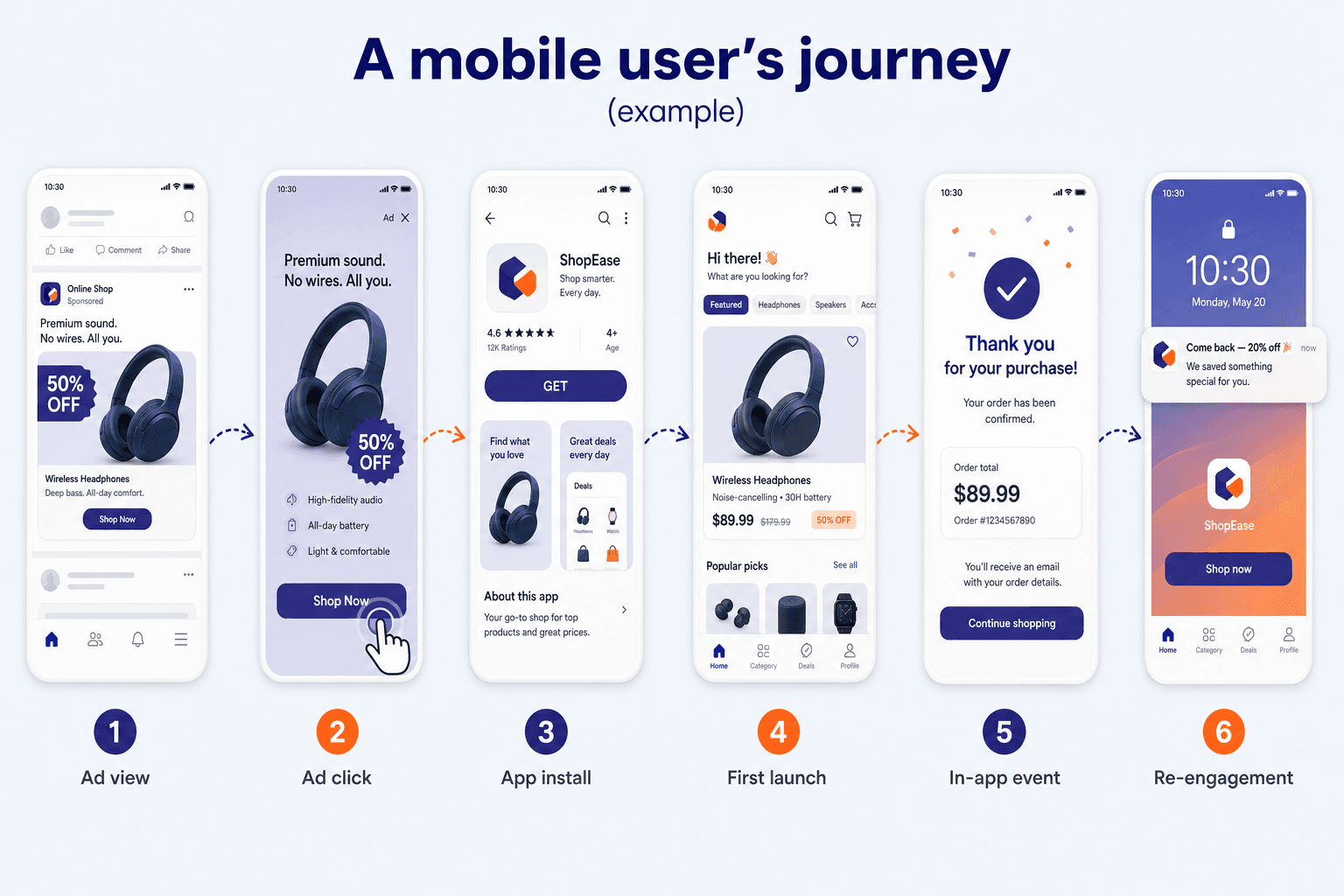
What is attribution?
Attribution is how AdShift decides what caused a user action: an install, or a post-install action like re-engagement or re-attribution. Every result is one of two kinds:
- Non-organic — the user engaged with a media source (a click, a view/impression, or an install referrer) before the action, so AdShift credits that source.
- Organic — no measured engagement preceded the action, so it isn't credited to any source. For convenience we often say a user was "attributed organically," even though organic users aren't really attributed to a source at all.
Attribution is what lets you optimize user acquisition and retargeting, and compare the quality of traffic across sources.
What counts as an install?
In AdShift an install is recorded on the app's first launch. The install timestamp is the moment the user first opens the app — not the store download time, and not the ad engagement time.
This is the standard mobile-measurement convention: ad networks count the engagement, app stores count the download, and AdShift counts the first launch. When you compare numbers across systems, this difference in timing explains many small discrepancies.
Attribution methods
AdShift connects an engagement to an install (or re-engagement) using several methods. Which one applies depends on the platform, the media source, and the identifiers available.
| Method | How it works | Where it applies |
|---|---|---|
| Install referrer | Reads the referrer Google Play (and some other stores) passes to the app on first launch. Includes Meta and Google ad referrers. Deterministic. | Android |
| Device ID matching | Matches the advertising ID on the ad click/impression with the ID collected by the AdShift SDK. The primary deterministic method. | Android (GAID, or OAID without Google services), iOS (IDFA — requires ATT consent) |
| Fingerprint (probabilistic) | A privacy-preserving statistical match used when no deterministic ID or referrer is available. Estimates the most likely source from non-identifying signals; it does not identify an individual device. | Android, iOS |
| Deep link | Used for re-engagement: an existing user taps a link and opens the app directly (no store visit), so the link's data attributes the open. Deterministic. | Android, iOS |
| Self-reporting networks (SRN) | Networks such as Meta, Google, and TikTok confirm attribution through their own APIs using the device ID. | Android, iOS (IDFA subject to ATT consent) |
| Apple Search Ads | Attributed deterministically by Apple, using the AdServices token the AdShift SDK collects. | iOS |
| SKAN / AdAttributionKit | Privacy-preserving conversion postbacks generated and signed by Apple. AdShift receives and cryptographically verifies them. | iOS |
iOS and ATT. Deterministic device-ID matching on iOS depends on the IDFA, which is only available when the user allows tracking in the App Tracking Transparency (ATT) prompt. Without consent, AdShift relies on privacy-preserving methods (fingerprint) and Apple's own channels (Apple Search Ads, SKAN / AdAttributionKit).
How AdShift picks the winner (attribution priority)
When more than one engagement could explain an install, AdShift applies a fixed priority order so credit is assigned consistently and without bias:
- Clicks beat impressions. An active click always takes priority over a view-through (impression).
- Deterministic beats probabilistic. A real device-ID match or install referrer takes priority over a fingerprint match — as long as it falls within the lookback window.
- Self-reporting networks are confirmed first. When an SRN (e.g., Meta, Google, TikTok) confirms the install through its own API, that match is trusted ahead of a generic ad-network link match.
- If nothing qualifies, the install is organic.
Click-through and view-through
Most non-organic installs come from a user clicking an ad. When the click happens, a click lookback window opens. An install within that window is credited to the source; an install after it is treated as organic.
Users who see an ad but don't click can still be credited through view-through (impression) attribution, which uses a shorter window. View-through has to be enabled for the source, and — as above — a click always beats an impression.
| Attribution type | Methods | Default window | Range |
|---|---|---|---|
| Click-through | Install referrer, device-ID matching, fingerprint | 7 days | 1–30 days |
| View-through | Device-ID matching, fingerprint | 1 day | configurable, when enabled |
Set lookback windows to match your agreement with each media source. Align self-reporting-network windows with the duration the network defines.
Reinstalls and the re-attribution window
A reinstall is when a user installs the app, removes it, and installs it again. AdShift uses a re-attribution window (default 90 days) to decide how to treat it:
- Reinstall after the window → a new install is recorded.
- Reinstall inside the window:
- If the user engaged with a retargeting campaign before reinstalling → a re-attribution (a "retargeting reinstall") is recorded and reported under retargeting.
- If the user didn't engage, or engaged only with a UA campaign → no new install is recorded. Depending on your reinstall-events setting, that user's later in-app events are credited either to organic or to the original install.
Retargeting: re-engagement vs re-attribution
Retargeting brings existing users back, and AdShift records it in two ways:
- Re-engagement — an existing (still-installed) user opens the app from a retargeting link. No reinstall is involved.
- Re-attribution — a lapsed user reinstalls within the re-attribution window after engaging with a retargeting campaign.
Both are reported as retargeting. The detailed windows, the double-attribution period, and worked examples are covered in the Retargeting attribution guide.
In-app event attribution
Once an install is attributed, AdShift uses the device identifier (the AdShift device ID) to credit later in-app events — purchases, subscriptions, ad revenue, and custom events — back to the same source. This is what lets you follow the full user journey and measure ROAS and retention by source. In aggregate reports, the same identifier is used to count unique users.
App updates
When an already-known user updates the app to a new version, AdShift does not record it as a new install or a new attribution event. The original attribution stands.