

TikTok Ads
Connect your TikTok Ads account to AdShift to import campaign data, attribute installs, and connect downstream revenue back to TikTok campaigns.
TikTok Ads helps you run app campaigns across TikTok and its advertising network. Connect your TikTok Ads account to AdShift to import campaign data, attribute installs, and connect downstream revenue back to the campaigns that acquired those users.

Before you begin
- TikTok for Business account - you need access to the TikTok account that manages your ad account.
- Advertiser account access - your TikTok user must be able to authorize access to the advertiser account you want to connect.
- AdShift project access - you need permission to manage partners and network connections in AdShift.
You do not need to create a TikTok developer app or configure callback URLs. AdShift manages the TikTok app and authorization settings for you.
Connect your TikTok Ads account
Connecting your account lets AdShift:
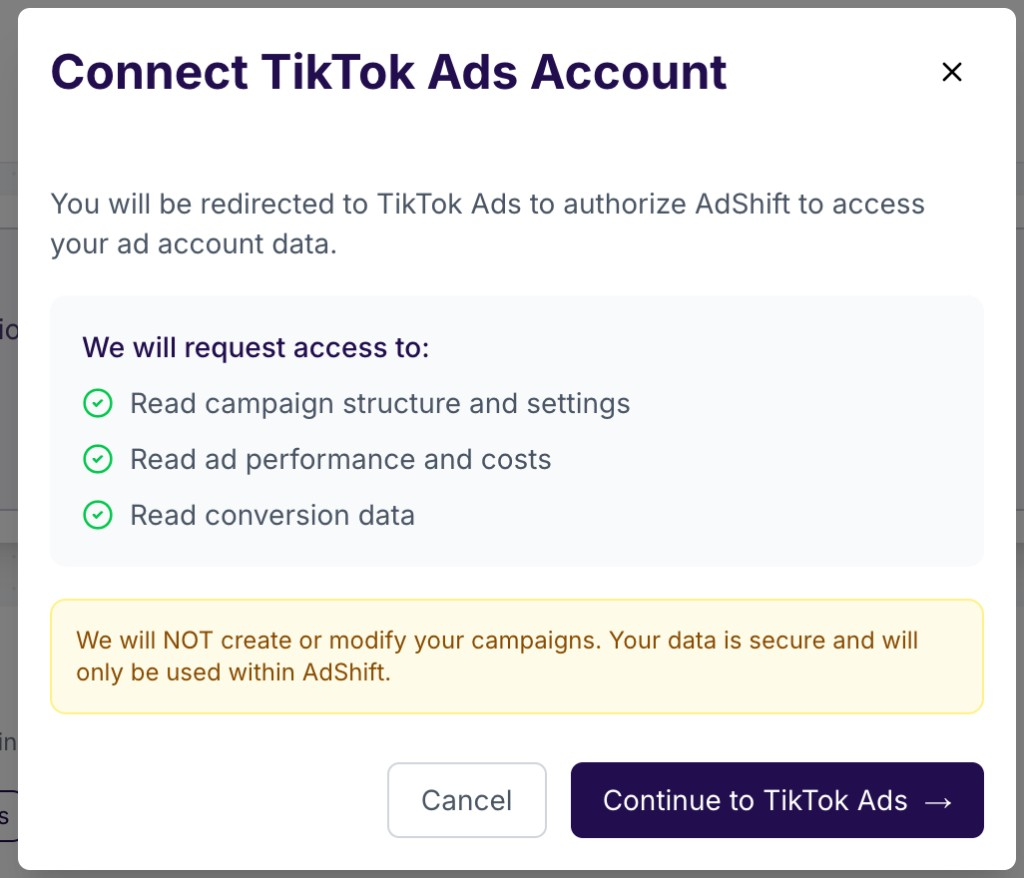
- Read campaign structure and settings
- Read ad performance and costs
- Read conversion data
- Attribute TikTok-driven installs to campaigns
- Connect later user revenue back to the TikTok campaigns that acquired those users
AdShift uses this data for reporting and measurement. AdShift will not create, edit, or delete your TikTok campaigns.
How to connect
- Go to Collaborate -> Partners and open TikTok Ads.
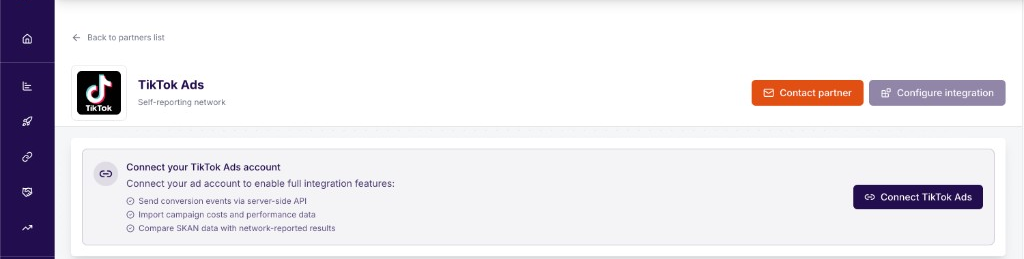
- Click Connect TikTok Ads.
- Review the access summary in AdShift, then click Connect to TikTok Ads.
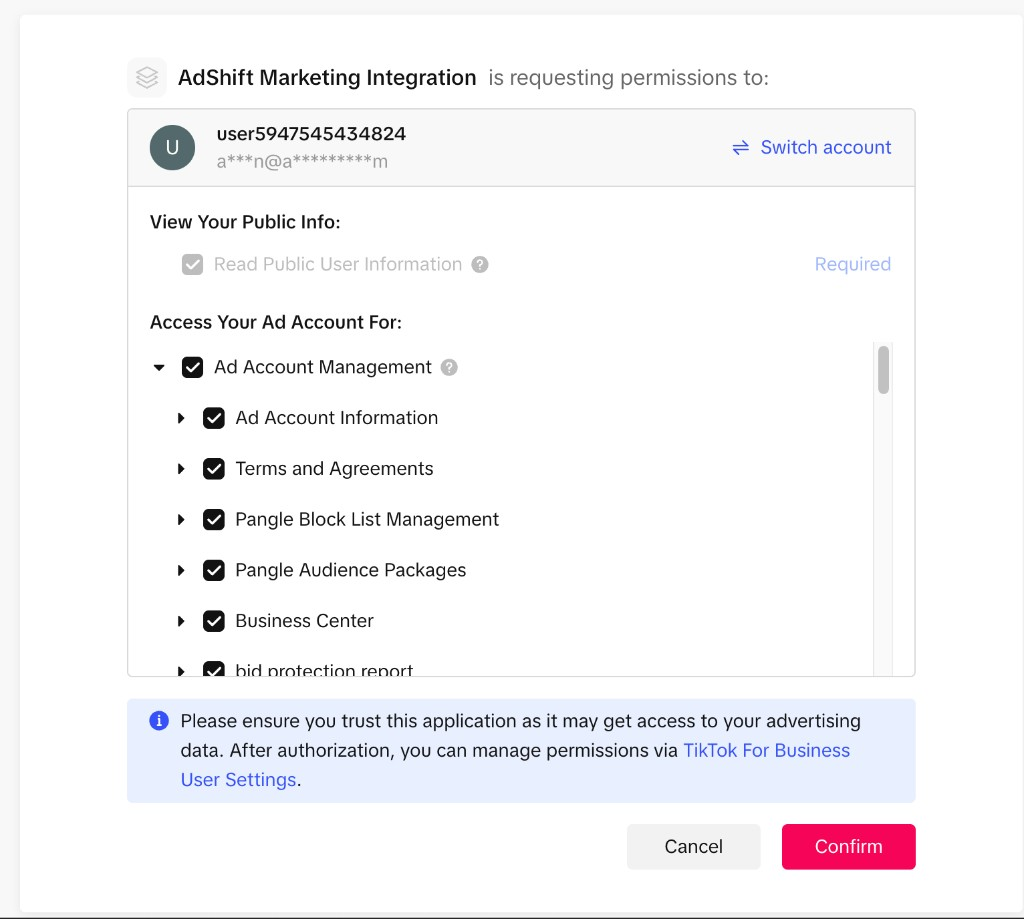
- Sign in to TikTok for Business, or switch to the correct TikTok account if needed.
- Review the permissions requested by AdShift Marketing Integration.
- Click Confirm to authorize AdShift.
- After authorization, you are returned to AdShift.
If your TikTok user has access to one advertiser account, AdShift connects it automatically. If your user has access to multiple advertiser accounts, AdShift asks you to choose which accounts to connect.
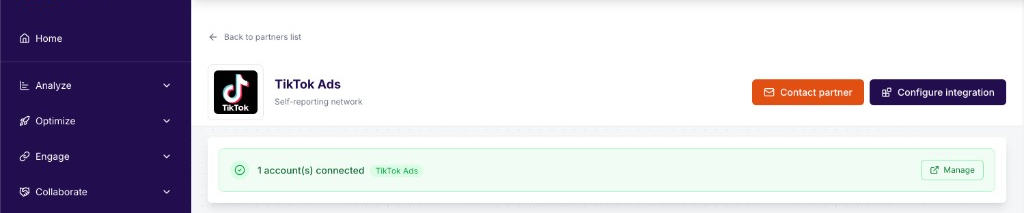
After the connection is complete, the TikTok Ads partner page shows a green banner such as 1 account(s) connected.
Managing the connection
Go to Collaborate -> Active Integrations -> Network Connections. The TikTok Ads tile shows:
- Connected account name and ID
- Health status
- Last sync timestamp
- Actions to manage or disconnect the account
If you manage multiple advertiser accounts, you can connect additional accounts from the same area.
Attribution and revenue
After the TikTok Ads account is connected, AdShift can match TikTok campaign data with attribution and revenue data collected in your AdShift project.
This lets you see:
- Which TikTok campaigns drove installs
- How those installs perform after acquisition
- How later revenue from those users maps back to the TikTok campaigns that acquired them
Revenue attribution depends on the revenue events and integrations configured in your AdShift project, such as in-app purchase, subscription, or ad revenue tracking.
SRN Insights - campaign performance
After connecting your account, TikTok Ads data appears under SRN Insights -> Network Self-Reports -> TikTok Ads.
AdShift imports TikTok's self-reported campaign data, including spend, impressions, clicks, installs, conversions, and video engagement metrics where available.
The first sync may take some time. If you just connected the account, check back after the next scheduled data sync.
Troubleshooting
You do not see the expected TikTok ad account Make sure you are signed in to the TikTok for Business user that has access to the correct advertiser account. If needed, click Switch account on the TikTok authorization screen and sign in again.
TikTok says you do not have permission to authorize access Ask your TikTok Business Center admin to give your user access to the advertiser account and the permissions required to manage app/API integrations.
AdShift says no ad accounts were found The TikTok user authorized successfully, but TikTok did not return any advertiser accounts for that user. Check that the user is connected to an active TikTok advertiser account.
The connection shows a token or authorization issue The TikTok authorization may have expired or been revoked. Go to Collaborate -> Active Integrations -> Network Connections, find TikTok Ads, and reconnect the account.
You return from TikTok but the connection does not complete Try the connection again from AdShift. If the issue repeats, contact AdShift support and include the TikTok advertiser account you were trying to connect.
See also
- SRN Insights: Network Self-Reports - view TikTok campaign performance in AdShift
- Connect to partners - overview
RevenueCat
Connect RevenueCat to AdShift to forward subscription and in-app purchase revenue via webhook — no code changes to your purchase flow.
Attribution model
How AdShift attributes installs and in-app events — supported methods, the priority order, lookback windows, and how reinstalls and retargeting are handled.